
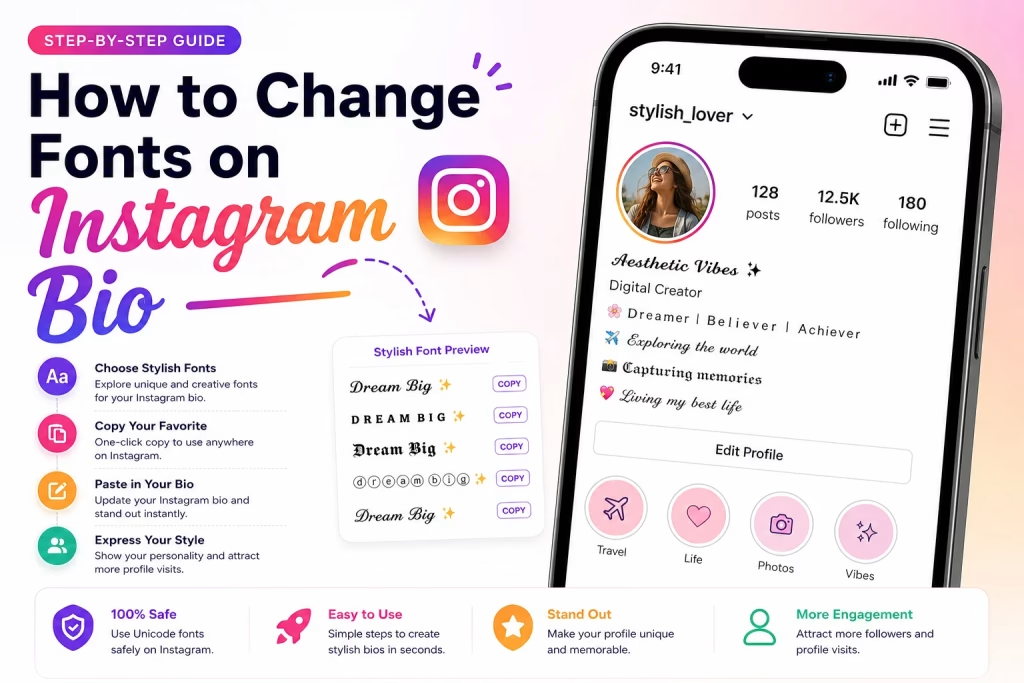
How to Change Fonts on Instagram Bio (Step-by-Step Guide)
Instagram is one of the most popular social media platforms in the world. Your Instagram bio is often the first thing people notice when they visit your profile. Using stylish fonts in your bio can help you stand out, attract more followers, and make your profile look unique.
In this guide, you’ll learn how to change fonts on your Instagram bio using free tools and stylish Unicode text. No special skills are required.
Why Change Fonts on Your Instagram Bio?
Using stylish fonts can make your profile more attractive and memorable.
Benefits of Stylish Instagram Fonts
- Make your profile stand out
- Show your personality and creativity
- Improve profile appearance
- Create a professional brand image
- Attract more profile visits
Can You Change Fonts Directly on Instagram?
Instagram does not provide built-in font customization for bios. However, you can use a font generator tool to create stylish text and then paste it into your bio.
The stylish fonts work because they use Unicode characters that Instagram supports.
How to Change Fonts on Instagram Bio
Follow these simple steps:
Step 1: Open a Font Generator
Visit StylishFontGen.com and open the font generator tool.
Step 2: Type Your Bio Text
Enter the text you want to use in your Instagram bio.
Example:
- Digital Creator
- Food Lover
- Travel Enthusiast
- Dream Big ✨
Step 3: Browse Stylish Fonts
The tool will instantly generate multiple font styles.
Examples:
𝓓𝓻𝓮𝓪𝓶 𝓑𝓲𝓰
𝔇𝔯𝔢𝔞𝔪 𝔅𝔦𝔤
𝘿𝙧𝙚𝙖𝙢 𝘽𝙞𝙜
𝔻𝕣𝕖𝕒𝕞 𝔹𝕚𝕘
Ⓓⓡⓔⓐⓜ Ⓑⓘⓖ
Step 4: Copy Your Favorite Font
Choose the style you like and click the Copy button.
Step 5: Open Instagram
Launch the Instagram app and go to your profile.
Step 6: Tap Edit Profile
Click on “Edit Profile”.
Step 7: Paste the Stylish Font
Paste the copied text into your Bio section.
Step 8: Save Changes
Tap the checkmark or Save button.
Congratulations! Your Instagram bio now has a stylish font.
Best Font Styles for Instagram Bios
Different font styles create different impressions.
Elegant Script Fonts
Perfect for:
- Influencers
- Fashion accounts
- Lifestyle creators
Example:
𝓛𝓲𝓿𝓮 𝓛𝓸𝓿𝓮 𝓛𝓪𝓾𝓰𝓱
Bold Fonts
Perfect for:
- Personal brands
- Entrepreneurs
- Business accounts
Example:
𝗕𝗨𝗜𝗟𝗗 𝗬𝗢𝗨𝗥 𝗗𝗥𝗘𝗔𝗠𝗦
Aesthetic Fonts
Perfect for:
- Art pages
- Photography accounts
- Creative creators
Example:
𝔸𝕖𝕤𝕥𝕙𝕖𝕥𝕚𝕔 𝕍𝕚𝕓𝕖𝕤
Bubble Fonts
Perfect for:
- Fun profiles
- Gaming accounts
- Fan pages
Example:
ⓕⓤⓝ ⓥⓘⓑⓔⓢ
Tips for Creating an Attractive Instagram Bio
Keep It Short
A short bio is easier to read.
Use Emojis
Emojis make your bio more engaging.
Example:
🌸 Dreamer
✈️ Traveler
📸 Creator
Don’t Overuse Fancy Fonts
Too many decorative fonts can make your bio difficult to read.
Match Fonts With Your Personality
Choose fonts that reflect your style or brand.
Stylish Instagram Bio Examples
Personal Account
✨ Living My Best Life
🌎 Exploring The World
💫 Dream Big
Creator Account
🎥 Content Creator
📸 Daily Inspiration
✨ New Videos Every Week
Business Account
🚀 Helping Brands Grow
📈 Digital Marketing Tips
📩 DM For Collaboration
Common Mistakes to Avoid
Using Hard-to-Read Fonts
Always prioritize readability.
Mixing Too Many Font Styles
Stick to one or two styles.
Adding Excessive Symbols
Too many symbols can make your bio look cluttered.
Frequently Asked Questions
Are Stylish Fonts Safe for Instagram?
Yes. Stylish fonts use Unicode characters and are completely safe to use.
Do Stylish Fonts Work on All Devices?
Most modern devices support Unicode fonts. However, some rare styles may not display correctly on older devices.
Can I Use Stylish Fonts in Instagram Captions?
Yes. You can use them in:
- Bios
- Captions
- Comments
- Profile Names
- Stories
Do Stylish Fonts Increase Followers?
Fonts alone do not increase followers, but a professional and attractive profile can encourage more people to follow you.
Final Thoughts
Changing fonts on your Instagram bio is one of the easiest ways to personalize your profile and make it stand out. With a free font generator, you can create stylish text in seconds and instantly upgrade your Instagram appearance.
Try different font styles, keep your bio readable, and choose a design that matches your personality or brand.